- Home
- Lightspeed Woocommerce Integration
Set up Lightspeed Woocommerce Integration - Quick and Easy
With just a few clicks, you can quickly and easily set up Lightspeed Woocommerce integration, finishing the process in five minutes. Using SKUPlugs for the integration, you may easily handle several elements, such as products, inventory, pricing points, product kinds, tags, meta descriptions, sales orders, and clients.
SKUPlugs eliminates the need for manual data entry by automatically syncing items and orders, allowing you to sync an unlimited number of products and orders quickly. This effective integration improves the overall administration of your company’s operations while saving time and effort.
- Sync product details, prices, and inventory from Lightspeed to your Woocommerce store
- Sync product title, description, short description, etc.
- Sync simple as well as variation products
- Sync multi -store inventories
- Sync multi-level products' prices, tags and meta descriptions
- Sync Lightspeed custom fields with your Woocommerce store
- Post your Woocommerce orders and customers into Lightspeed
- Keep the inventory 100% accurate across every Lightspeed POS store, online sales channel, and marketplace
- Save valuable time and resources
- Proficient and friendly 24*7 support
Get Started Now!
Our Work Flow
You can easily connect Lightspeed and Woocommerce in just a few clicks and configure both platforms to meet your business's needs for smooth synchronization.
Connect Lightspeed
A user-friendly interface allows you to seamlessly integrate Lightspeed with your Woocommerce store with only a few clicks.
Configure & sync
Configure and synchronize both platforms easily per your company requirements, creating synchronization rules to ensure smooth functioning.
24x7 Online Support
Use our round-the-clock online support, which guarantees continuous connectivity and a staff of boarding and product experts ready to help whenever needed.
Our Best Pricing Plan
No annual contracts. Month-to-month subscription. No hidden charges.
Trial
$0/15 Days
- Unlimited Products
- Unlimited Orders
- No percentage of transaction fees
- 1 Integration
- No Setup Fee
- Support: Chat & email
Standard
$59/Month
- Unlimited Products
- Unlimited Orders
- No percentage of transaction fees
- 1 Integration
- No Setup Fee
- Support: Skype, Chat & email
Additional Sales Channel
$59/Month/Integration
- Unlimited Products
- Unlimited Orders
- No percentage of transaction fees
- Unlimited Integration
- No Setup Fee for additional integration
- Support: Skype, Chat & email
The Power of Integration
Integrating Lightspeed with WooCommerce POS through SKUPlugs offers benefits such as omnichannel selling, inventory synchronization, efficient order processing, and data-driven insights, helping you create a more agile and successful retail operation.
Data Insights and Reporting
The integration provides unified data and reporting access, enabling you to make data-driven decisions. By analyzing sales trends, customer behavior, and inventory data from both online and offline channels, you can optimize your product offerings and marketing strategies for better business outcomes.

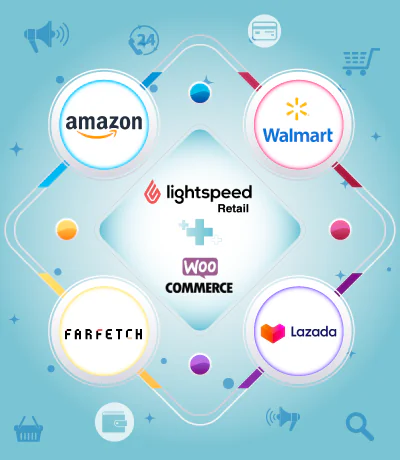
Seamlessly integrate your Lightspeed across multiple platforms
You can increase sales potential by giving clients access to a wider variety of products by expanding your Lightspeed connectivity to various marketplaces. Our system ensures that the inventory is updated on other marketplaces and your Woocommerce website. Lightspeed Retail POS’s connection with Woocommerce streamlines processes by minimizing manual labor and centralizing data administration.
About Lightspeed
Lightspeed is a global leader in retail, restaurant, and golf management software recognized worldwide for its rich functionality, multi-national ability, and unique flexibility. It is a Cloud-based Point-of-Sale system perfect for small and multistore businesses. It is a robust POS system with an easy-to-change user interface, flexible reporting, and quick and easy promotion tools.
Lightspeed WooCommerce Integration: Complete Guide to Syncing Your POS and Online Store
Most retailers who run both a physical store and a WooCommerce website reach a point where managing the two separately becomes unsustainable. Stock gets out of sync. Online orders pile up in a separate inbox while the POS runs independently. Staff spend hours each week copying data from one system to the other — work that adds no value and introduces errors at every step.
The straightforward fix is connecting the two platforms so they share data automatically. That is what Lightspeed WooCommerce Sync does. When your Lightspeed Retail POS and your WooCommerce store are properly linked, every transaction — wherever it happens — updates both systems at the same time. This guide explains the full picture: what the integration covers, how it is set up, what features matter most in practice, and why SKUPlugs is the platform retailers trust to make it work reliably.
What Lightspeed WooCommerce Integration Actually Does
The integration creates a continuous, automated data connection between Lightspeed Retail and WooCommerce. Changes made in either system — a product sold, a price updated, new stock received — are reflected in the other platform within minutes, without anyone having to do it manually.
Lightspeed functions as the central system for product management. When you add a new product, adjust a price, or receive inventory into Lightspeed, those changes push automatically to your WooCommerce store. When a customer completes a purchase on your website, that order comes back into Lightspeed as a sales receipt. Your team processes it the same way they handle any other transaction.
What this creates, in practical terms, is a single retail operation spread across two platforms — rather than two independent systems that drift apart the moment you stop actively maintaining them.
Why Running Both Platforms Without Integration Creates Real Problems
Retailers who have tried to manage Lightspeed and WooCommerce separately for any length of time will recognise these issues.
The Overselling Problem
Overselling is perhaps the most immediate and damaging consequence of disconnected systems. When a product sells in-store and the website stock count does not update, the next customer who finds that item online can still place an order. You receive the payment, send the confirmation email, and then discover you have nothing to ship. The cancellation that follows damages your store’s reputation and, increasingly, your marketplace performance ratings.
With a live inventory sync, the moment your last unit of any product sells — in-store or online — both platforms register zero stock simultaneously. There is no window in which an oversold order can slip through.
The Manual Work Problem
Without integration, keeping WooCommerce accurate requires someone to actively maintain it. That means updating stock counts after every in-store sale, editing prices whenever Lightspeed changes them, and entering online orders into the POS by hand. For a store managing several hundred products across multiple categories, this is not a quick task. Retailers consistently report spending five or more hours per week on this kind of data entry — time that cannot be recovered and contributes nothing to growth.
The Reporting Problem
When in-store and online sales live in separate systems, getting a complete picture of your business requires pulling data from two places and reconciling it manually. You cannot quickly see which products are moving fastest across all channels, which promotions are working, or where your stock is most at risk of running out. Integration puts all of that information into one system – Lightspeed – where it can be reviewed and acted on without the reconciliation step.
What the Integration Synchronises Between the Two Platforms
Understanding exactly which data moves between Lightspeed and WooCommerce removes a lot of uncertainty for retailers considering this setup.
Product Information Pushed From Lightspeed to WooCommerce
Your full Lightspeed product catalog transfers to WooCommerce and stays current automatically. This covers product names and full descriptions, images, prices, and any sale or promotional prices you have configured. Stock quantities update in real time as sales occur. Product variants — a shoe available in multiple sizes, or a t-shirt offered in several colours — are fully supported, with each individual variant maintaining its own stock count independently. Product categories and the organisational structure you have built in Lightspeed carry across to WooCommerce as well, which saves considerable setup time for retailers with large, structured catalogs.
Order and Customer Data Returned From WooCommerce to Lightspeed
Every order placed on your WooCommerce store is automatically created as a sales receipt in Lightspeed. The customer’s name, email address, and delivery address are captured into your Lightspeed customer database with each purchase. Payment method information is included so your financial records reflect accurately how each transaction was paid. Order status updates flow back as fulfillment progresses, keeping both systems aligned throughout the process.
The Features That Make the Biggest Difference in Daily Operations
Real-Time Inventory Synchronisation
Stock levels update continuously, not on a scheduled timer. The synchronisation runs in near real time, which means the window between a sale occurring and both platforms reflecting the change is measured in minutes rather than hours. For a busy retailer processing sales across multiple channels throughout the day, this responsiveness is what prevents the overselling scenarios described earlier.
Automatic Order Flow Into Lightspeed
There is no need for manual importing or employee intervention at all for online orders. Every time you make a sale through WooCommerce, there will be an automatic entry in your Lightspeed account. Your employees can see all orders, whether made in the store or online, in one place, keeping things consistent.
Multi-Location Inventory Control
For those businesses that have a number of outlets or warehouses, complete flexibility on the management of inventory in the integration will be enjoyed. The integration may be tailored to allow sourcing of the stock from one particular store, a specific fulfillment center, or even a total of stocks from multiple locations. As such, the integration allows for flexibility that enables it to align itself with the operations of a business.
Unlimited Products and Orders at a Fixed Price
There are no volume limits applied to the sync. Whether your catalog contains 200 products or 20,000, and whether you process 50 orders per month or 5,000, the subscription cost remains the same. There are no additional fees tied to catalog size and no per-transaction charges on orders flowing through the system.
Unified Customer Records
Every customer who purchases through WooCommerce is added to your Lightspeed customer database. Over time, this builds a complete purchase history for each customer that includes both their in-store and online activity. That unified record is genuinely useful for loyalty programs, personalised marketing, and providing informed customer service when someone contacts your team.
Accurate Payment Type Recording
Online payments come in through various methods — card payments, PayPal, digital wallets, bank transfers. SKUPlugs maps each payment type correctly when creating the Lightspeed sales record, so your financial data stays accurate without requiring manual reconciliation at the end of each day or month.
How to Set Up the Integration With SKUPlugs
The setup does not require technical knowledge or developer support. Most retailers complete the process in under thirty minutes.
Connecting Your Lightspeed Account
After creating a SKUPlugs account and starting the free trial, select Lightspeed Retail as your POS system. The connection is established through a standard OAuth authorisation process — you grant SKUPlugs secure access to your Lightspeed account without sharing passwords or login credentials. Both R Series and X Series accounts are supported through the same process.
Connecting Your WooCommerce Store
From your WordPress dashboard, navigate to the WooCommerce settings and generate a REST API key. This key, along with your store URL, is entered into the SKUPlugs dashboard. The two platforms are then linked and ready to synchronise.
Configuring Your Sync Preferences and Going Live
Before activating the sync, you set your preferences: which data types to synchronise, which direction each flows, which Lightspeed location feeds your online stock levels, and any mapping rules for product variants or categories. Once these are confirmed, activating the sync triggers an initial import of your Lightspeed catalog into WooCommerce. From that point, the integration runs automatically in the background with no ongoing input required.
Compatibility With Lightspeed R Series and X Series
SKUPlugs supports both versions of Lightspeed Retail. R Series is the original platform, while X Series — which evolved from Vend — is the newer version offered to new accounts. The integration behaves identically on both, and the setup process follows the same steps. Retailers on either version can connect to WooCommerce without any limitations or workarounds.
Why SKUPlugs Is the Right Platform for This Integration
There are several ways to connect Lightspeed and WooCommerce – native tools, general automation platforms, and custom API development each exist as options. The reason retailers consistently choose SKUPlugs comes down to a few practical differences.
SKUPlugs was built specifically for retail POS integration. The sync logic is designed around how retail actually works — high transaction volumes, real-time stock changes, variant products, multi-location inventory, and order data that needs to reach the POS quickly and accurately. General-purpose automation tools are not built for this and regularly produce sync delays or mapping errors that undermine the entire purpose of the integration.
Setup is provided free of charge. SKUPlugs does not bill for onboarding, and their team supports the initial configuration process at no extra cost. Pricing is a flat monthly subscription with no transaction fees, no hidden charges, and no long-term contract. The subscription runs month to month, and retailers can cancel at any time without penalty.
Support is available at all hours. Live chat and email assistance run around the clock, which matters for a retail environment where issues do not wait for business hours to be resolved.
New accounts receive a fifteen-day free trial with full access to the integration, using real data from their own Lightspeed and WooCommerce accounts. No credit card is required to start, and free setup is included from the first day.
The Practical Case for Connecting Lightspeed and WooCommerce Now
Retailers who delay connecting their POS and online store continue to absorb the cost of that gap every week — in staff hours spent on manual updates, in oversold orders that damage customer trust, and in the absence of a clear, unified view of their business performance.
The integration itself takes less than an hour to establish. The operational improvements it delivers — accurate inventory across both channels, automated order processing, unified customer records, and complete elimination of manual data entry between systems — begin immediately and compound over time as your sales volume grows.
For any retailer operating Lightspeed alongside WooCommerce, connecting them is not a future consideration. It is the foundation on which a properly functioning multichannel retail operation is built.
Start your free 15-day trial today — no credit card required, free setup included.


Integrate Lightspeed with














Case Studies
Frequently Asked Questions
SKUPlugs connects your Lightspeed Retail POS with WooCommerce through a secure, real-time API connection. Once linked, SKUPlugs monitors both platforms for changes. A stock update in Lightspeed pushes to WooCommerce automatically. An order placed on WooCommerce flows back into Lightspeed for fulfillment. Product details, pricing, and inventory stay synchronized without manual intervention on either side. Setup runs through a guided onboarding wizard, so no developer or agency involvement is required.
No coding or development experience is required. SKUPlugs walks you through connecting your Lightspeed account and WooCommerce store using a step-by-step onboarding wizard. You authorize both platforms, choose your sync preferences, and the system handles the technical work in the background. If you get stuck at any point, the SKUPlugs support team is available to finish the setup with you.
Price changes made in Lightspeed push to WooCommerce automatically, whether you update a single item or an entire category. This keeps pricing consistent across both channels, so online shoppers always see accurate amounts. Price syncing runs alongside inventory and product syncing as part of the same automated process. You can also limit which fields sync if you prefer to manage pricing in only one system.
Inventory updates move from Lightspeed to WooCommerce in real time. When a product sells in-store, online stock adjusts within minutes, which prevents overselling and keeps product availability accurate for customers. The same speed applies in reverse — a WooCommerce sale reduces stock in Lightspeed just as quickly. This matters most for high-volume retailers, where a short delay can mean a customer orders something already sold out.
Every WooCommerce order syncs back into Lightspeed automatically, including items, quantities, customer information, and payment status. Your in-store staff can fulfill online orders directly from Lightspeed, without checking a separate dashboard. Inventory adjusts the moment an order comes through, keeping stock counts accurate across every channel. Products are matched by SKU, which prevents duplicate or mismatched listings during the sync.
Initial sync time depends on catalogue size, but most stores complete it within a few hours. Larger catalogues with thousands of SKUs may take longer to fully align on the first run. Once that initial sync finishes, all further updates — inventory changes, new products, price edits — happen in real time. You don't need to manually trigger anything after setup; the sync runs continuously in the background.
Product images, variations, SKUs, and categories all sync from Lightspeed to WooCommerce as part of the standard integration. Variant attributes such as size and color transfer correctly, so WooCommerce displays the same options customers see in-store. Categories set up in Lightspeed publish to WooCommerce automatically, which removes the need to manually organize your online catalogue. SKU-based matching prevents duplicate listings if products already exist in both systems before you connect them.
One Lightspeed account can connect to multiple WooCommerce stores at the same time. This suits businesses running several storefronts from a single centralized inventory. Each store can have its own sync settings, product selection, and pricing rules, so storefronts don't need to mirror each other exactly. Lightspeed remains the single source of truth for inventory across every connected store.
Multi-location inventory is fully supported. If your Lightspeed account tracks stock across several physical stores or warehouses, SKUPlugs can help. Inventory can consolidate into a single WooCommerce stock count, or stay separate by location, depending on your setup. This flexibility suits retailers who want centralized stock counts without losing visibility into individual locations.
Products that exist only in WooCommerce are left untouched unless you intentionally link them to a matching Lightspeed item. SKUPlugs won't overwrite or remove them automatically. If you want a WooCommerce-only product to sync going forward, you can map it to a Lightspeed SKU manually, and it will follow the same automated sync rules from that point on.
Yes — SKUPlugs supports both Lightspeed R-Series and X-Series accounts. The sync setup differs slightly between the two, since X-Series evolved from Vend and has a different underlying structure, but both versions support real-time syncing with WooCommerce. During onboarding, SKUPlugs identifies which version you're running and configures the connection accordingly.
SKUPlugs offers a 15-day free trial, so you can test the full integration against your real Lightspeed and WooCommerce data before paying anything. After the trial, plans run on a flexible month-to-month subscription with no long-term contract required. There are no setup fees, and you can upgrade, downgrade, or cancel at any time as your business needs change.
All data moves between Lightspeed and WooCommerce through encrypted API connections, and SKUPlugs doesn't store sensitive payment information. Access to your integration dashboard requires authenticated login, limited to authorized users. If a sync issue comes up — a SKU mismatch or a delayed update, for example — SKUPlugs support is available via chat, email, and ticket to help resolve it.