- Home
- Lightspeed Shopify Integration
Seamless Lightspeed Shopify Integration with - SKUPlugs
You can quickly and easily complete Lightspeed Shopify Integration with just a few clicks. Connect and set up both platforms with ease in five minutes. Synchronize goods, stock, pricing, sales orders, and client information seamlessly. Store-specific inventory and charges may be conveniently synchronized after the Lightspeed Integration with Shopify.
SKUPlugs allow you to easily sync product data between Lightspeed POS (R Series) and Shopify, including titles, descriptions, photos, variations, dimensions, and inventory information. With the help of our platform, you can effectively manage all of your details in one place and with total control.
Connecting your online and physical stores increases revenue and broadens your consumer base.
- Automate the synchronization of Lightspeed and Shopify product data, prices, and inventories.
- Link essential and variant products, taking into account style characteristics
- Link multi-level product prices, tags, and meta descriptions.
- Connect the stock of your Lightspeed POS to particular Shopify locations to ensure store-level synchronization.
- Exchange Lightspeed custom field values in meta fields of Shopify stores
- Sync customers and orders from Shopify automatically with Lightspeed
- Support for store-wise order synchronization, local delivery, and pickup
- Ensure that all Lightspeed POS stores, Shopify, and associated marketplaces have 100% accurate inventory.
- Access skilled and pleasant 24/7 customer help.
SKUPlugs enables Lightspeed Integration with Shopify in a few clicks, and you can configure it as per your business requirements. Enjoy the Sync!!
Get Started Now!
Our Work Flow
Shopify integration with Lightspeed in few clicks and configure it as per your business requirement. Enjoy the Sync!!
Lightspeed Shopify Integration
With only a few clicks, you can finish the Lightspeed Shopify Integration. Use an easy-to-use interface of SKUPlugs for a smooth transition between the two platforms.
Configure & sync
Configure both platforms to best suit your business needs, then set up syncing rules appropriately.
24x7 Online Support
Our 24/7 online support team will always keep you connected. Our boarding and product specialists are available for chat at any moment.
Our Best Pricing Plan
No annual contracts. Month-to-month subscription. No hidden charges.
Trial
$0/15 Days
- Unlimited Products
- Unlimited Orders
- No percentage of transaction fees
- 1 Integration
- No Setup Fee
- Support: Chat & email
Standard
$59/Month
- Unlimited Products
- Unlimited Orders
- No percentage of transaction fees
- 1 Integration
- No Setup Fee
- Support: Skype, Chat & email
Additional Sales Channel
$59/Month/Integration
- Unlimited Products
- Unlimited Orders
- No percentage of transaction fees
- Unlimited Integration
- No Setup Fee for additional integration
- Support: Skype, Chat & email
The Power of Lightspeed Integration
A retail business's success can be ultimately attributed to the benefits of Lightspeed Integration with Shopify using SKUPlugs. These benefits include streamlined inventory management, higher sales potential, integrated order processing, and enhanced data accuracy.
Why should you opt for Lightspeed Shopify Integration?
Why should you opt for Lightspeed Shopify Integration?
Providing excellent customer service must be prioritized to attract a more extensive clientele. Improving customer relations has a significant role in growing your clientele and, in turn, increasing revenue. A smooth omnichannel experience is essential for this project, and using a Lightspeed POS Shopify connection can make this process very easy.
Our connectivity between Lightspeed and Shopify guarantees real-time inventory synchronization and synchronizes product tags, custom fields, photos, and various pricing points. It is the best option for synchronizing inventory across many locations, allowing Shopify orders to be transferred to the appropriate Lightspeed store without requiring extra resources. The method of Lightspeed Integration with Shopify is simple when you use SKUPlugs.

Choosing Lightspeed and Shopify Integration unlocks numerous benefits for your business. Here’s why this integration can be advantageous:
- Effortless Inventory Management
- Simplified Sales Tracking
- Easy Access to Customer Data
- Prevention of Overselling
- Expansion of Sales Reach to Marketplaces
- Minimal Manual Intervention
- Amplified Revenue and Growth
Seamlessly integrate your Lightspeed across multiple platforms
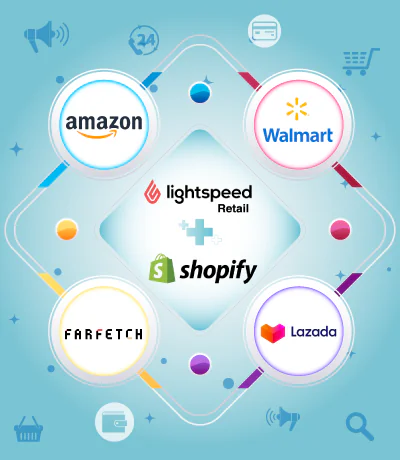
Using our platform you can Integrate your Lightspeed products and order data with large & niche marketplaces along with the Shopify website. You can integrate your Lightspeed with Amazon, Walmart, Farfetch, Lazada, DubaiStore, Noon.com, and many more.
Providing excellent customer service must be prioritized to attract a more extensive clientele. Improving customer relations has a significant role in growing your clientele and, in turn, increasing revenue. A smooth omnichannel experience is essential for this project, and using a Lightspeed POS Shopify connection can make this process very easy.
Our connectivity between Lightspeed and Shopify guarantees real-time inventory synchronization and synchronizes product tags, custom fields, photos, and various pricing points. It is the best option for synchronizing inventory across many locations, allowing Shopify orders to be transferred to the appropriate Lightspeed store without requiring extra resources. The method of integrating Lightspeed with Shopify is simple.
Why Choose SKUPlugs?
You can effectively manage your inventory and track your sales orders from Shopify and other marketplaces with the SKUPlugs connection platform. We provide functionality that supports the development of a profitable online business rather than just boosting your online enterprise. Partnering with the best will help you elevate your company above the competition.
About Lightspeed
Leading the industry in retail, restaurant, and golf management software, Lightspeed is known for its vast feature set, cross-platform compatibility, and unmatched adaptability. Cloud-based Point-of-Sale system Lightspeed Retail is specifically made for small and multi-store organizations. With a robust point-of-sale system, it has an easily customizable user interface, versatile reporting options, and practical promotion tools for quick and easy operations.
Key Features of Lightspeed
For enterprises, Lightspeed makes it easier to scale products and inventories smoothly. Opening new sites for your business is as simple as opening a new account, copying the menu from an existing site, turning on the tablets, and opening the doors. Several payment methods, such as credit cards, smartphones, and contactless payments, can be integrated with Lightspeed.
Lightspeed Retail includes all the features required to guarantee client happiness at the checkout counter and beyond. With its robust API interface, you can easily integrate your business with various shopping carts and marketplaces (including Bigcommerce, Wix, Squarespace, Magento, Woocommerce, Shopify, and so on) and ensure complete connectivity.
What Is Lightspeed Shopify Integration?
Most retail businesses today sell in two places at once — a physical store and an online shop. That’s fine when both are small and quiet. But as soon as order volumes pick up, or stock starts moving fast, managing two disconnected systems becomes a real problem.
Here’s what that looks like in practice. A customer buys the last unit of a product in-store on a Saturday afternoon. That evening, someone else orders the same product on Shopify, gets an order confirmation, and waits four days before finding out it was never actually in stock. That’s a refund, a frustrated customer, and a negative review — all from a data gap that took seconds to create and hours to clean up.
Lightspeed Shopify Integration, delivered through SKUPlugs, is built to prevent exactly that kind of situation. It creates a live, two-way connection between your Lightspeed POS (R-Series) and your Shopify store so that both platforms are always working from the same numbers. Inventory, orders, product details, pricing — it all moves automatically between the two systems the moment something changes.
If you’ve been looking for a Lightspeed Shopify Integration that doesn’t require a developer, a long setup process, or a heavy monthly commitment, SKUPlugs is worth a serious look. Setup takes under 30 minutes. There’s a 15-day free trial. And to understand what this integration actually involves under the hood, SKUPlugs uses a secure API connection that runs quietly in the background — no exports, no manual syncing, no one copying figures between spreadsheets.
The Real Cost of Running Lightspeed and Shopify as Separate Systems
It’s easy to underestimate how much time disconnected systems actually consume. Most retailers don’t sit down and calculate it — but if they did, the number would be uncomfortable.
There’s the staff member who updates a product price in Lightspeed and then has to log into Shopify and do it again. There’s the daily stock reconciliation that exists purely because neither system trusts the other. There’s the back-and-forth with customers who ordered something online that had already sold out in-store hours earlier. None of these are dramatic failures. They’re just friction — constant, low-level friction that drains time and goodwill without anyone really noticing until it adds up.
Understanding what Lightspeed and Shopify integration actually means starts here, with the cost of not having it. Lightspeed is genuinely excellent at what it does for in-store retail — multi-location stock management, fast checkout, detailed sales reporting, staff controls, customer accounts. It was built for that environment and it handles it well. Shopify, separately, is one of the strongest eCommerce platforms available. The storefront tools, the payment processing, the marketing integrations, the shipping options — there’s a reason it’s the default choice for so many online retailers.
But neither platform was designed to stay in sync with the other on its own. That’s the gap.
How Lightspeed and Shopify integration improves your online sales performance isn’t complicated to explain — when your Shopify store shows accurate, real-time stock, customers don’t get caught out by oversells. When online orders land directly in Lightspeed, your team processes them without switching systems. When a price changes in one place, it changes everywhere. Less admin, fewer errors, better customer experience.
And it’s worth being direct about why modern retailers genuinely need this kind of integration to grow. Customers don’t think about channels. They don’t care that your online store and your physical store run on different systems — they just expect both to be accurate and consistent. Meeting that expectation is only possible when the back end is connected.
How SKUPlugs Actually Works
SKUPlugs sits between Lightspeed and Shopify and handles the movement of data between them. Once you’ve authorised both platforms through the SKUPlugs dashboard, it takes over — syncing inventory, pulling orders, pushing product updates, and keeping customer records aligned across both systems.
There’s nothing to install on a server, no code to write, and no ongoing maintenance required from your side. The way SKUPlugs automates inventory and order management is through continuous API-level data exchange — changes in either system are detected and pushed across almost immediately.
Here’s how it breaks down by data type:
Inventory Sync
Stock levels in Lightspeed change all day — in-store sales, online fulfillments, returns, adjustments, transfers between locations. Every one of those changes needs to land in Shopify quickly and accurately, or you risk customers ordering stock that doesn’t exist.
SKUPlugs is designed to keep inventory and orders synced in real time, connected within minutes of setup. In a busy retail environment, that speed matters. An oversell doesn’t just mean a refund — it means staff time spent on customer service, a potential negative review, and a customer who’s unlikely to order again. Real-time accuracy is what prevents it.
Order Synchronisation
When a Shopify order comes in, SKUPlugs pushes the full details straight into Lightspeed — the product, the quantity, the customer’s name and delivery address, the payment status. Your fulfilment team sees it in the same system they use for everything else and can process it without touching Shopify at all. Returns work the same way in reverse. The whole order management workflow stays centralised.
Product Data Management
Maintaining product data manually across two platforms is tedious and error-prone. Descriptions drift. Images get updated in one place but not the other. Variant names end up inconsistent. It’s one of those tasks that seems minor but accumulates into a significant ongoing time cost.
With SKUPlugs, Lightspeed is the source of truth. Any change to a product — title, description, image, variant, barcode, dimension, price — gets pushed to Shopify automatically. New products you add to Lightspeed appear on Shopify without a separate upload. It removes an entire category of admin work.
Multi-Location Stock Mapping
For retailers running more than one physical store through Lightspeed, SKUPlugs lets you map each location’s stock to specific Shopify locations or fulfilment points. This is particularly useful for businesses offering click-and-collect or managing different stock pools across branches. Each location stays accurate independently, and Shopify reflects the real picture at every point.
Pricing and Promotions
Promotional pricing, seasonal discounts, multi-tier price structures — whatever pricing logic you’ve set up in Lightspeed can be synchronised directly to Shopify. Customers browsing your online store see the same pricing they’d find in-store, and when a promotion ends, it ends everywhere at once.
Customer Data
Shopify orders arrive in Lightspeed with the customer record attached. Over time, your team builds a fuller picture of each customer’s behaviour — what they’ve bought in-store, what they’ve ordered online — without having to check two systems. That kind of visibility makes customer service noticeably better.
What’s Included: Feature Summary
- Two-way inventory sync running in real time across Lightspeed POS and Shopify
- Automatic order import from Shopify into Lightspeed, including all order and customer details
- Full product catalogue sync — titles, descriptions, variants, images, SKUs, barcodes, and dimensions
- Multi-location inventory mapping across Lightspeed outlets and Shopify locations
- Order routing by store location — online orders directed to the correct Lightspeed branch
- Custom field and meta field sync for advanced product data management
- SKU-based product matching to connect existing catalogues without duplication
- 24/7 support via chat and email
- No setup fee, no annual contract — billed month-to-month only
Who Gets the Most Out of This?
Almost any retailer running Lightspeed in-store alongside Shopify online will benefit from integration. But a few business profiles tend to feel the impact most sharply.
The ways Lightspeed and Shopify integration helps improve online sales tend to show up differently depending on how a business is structured, but the common thread is the removal of manual work that shouldn’t be manual in the first place.
Retailers doing meaningful volume both in-store and online are the clearest fit. Once order volume gets high enough, manually reconciling two systems stops being inconvenient and starts being a genuine operational risk. Integration removes that risk entirely.
Businesses with two or more physical locations gain particularly from the multi-location mapping features. Tracking stock across branches in a spreadsheet is manageable until it isn’t — and it usually stops being manageable at a point when the business can least afford stock errors.
Retailers moving from physical-only to multi-channel can use SKUPlugs to launch a Shopify store without rebuilding their product catalogue from scratch. The existing Lightspeed data comes across on setup, which saves days of manual work at the start.
Omnichannel operations — those handling click-and-collect, store-based fulfilment for online orders, or in-store returns of online purchases — depend on real-time data accuracy in a way that simpler retail businesses don’t. A gap between systems in those workflows tends to surface quickly and visibly, directly in the customer experience.
Setting It Up
The setup process is straightforward and doesn’t require any technical background.
Step 1 — Create a SKUPlugs account. Sign up for the free 15-day trial. No credit card needed at this stage.
Step 2 — Connect Lightspeed. You’ll authorise SKUPlugs to access your Lightspeed POS account through the dashboard. It takes a few clicks and doesn’t touch your existing Lightspeed setup or data.
Step 3 — Connect Shopify. The same authorisation process on the Shopify side. Once both are connected, SKUPlugs starts working.
Step 4 — Set your sync preferences. Decide which products sync, how locations are mapped, how orders flow, and what pricing rules apply. The dashboard guides you through each option — there’s no guesswork involved.
Step 5 — Go live. The integration runs automatically from that point. You can check sync logs and adjust settings any time from the dashboard.
Most businesses are fully set up within 30 minutes of starting. The SKUPlugs team offers onboarding support if anything needs clarification along the way.
Pricing
SKUPlugs runs on a month-to-month subscription. No annual lock-in, no hidden fees, no transaction percentages.
- Free Trial — 15 days, full access, unlimited products and orders, one integration, no payment details required to start
- Standard Plan — $59/month, unlimited products and orders, one integration, support via Skype, chat, and email
- Additional Channels — $59/month per extra integration, for retailers connecting Lightspeed to more than one platform
The 15-day trial is long enough to run the integration against your actual data and see how it performs before spending anything.
Why SKUPlugs Over Other Options?
Retailers who’ve gone looking for the best connector for Lightspeed Shopify Integration in 2026 will know there are a few different routes you can take — basic app connectors, custom API builds, or a dedicated platform like SKUPlugs.
A straightforward breakdown of the different approaches to Lightspeed Shopify inventory sync is worth reading if you’re comparing options. The short version: basic connectors are cheap but they cap out quickly — limited sync frequency, limited product volumes, no support for complex scenarios like multi-location or variant-level mapping. Custom development gives you exactly what you need, but the cost is high, the build time is weeks or months, and you’re responsible for maintaining it when either platform updates their API.
SKUPlugs is built for retailers who need something more capable than a basic connector but don’t have the budget or patience for a custom build. The feature set is genuinely deep — multi-location support, field-level configuration, order routing, variant mapping — but the setup is accessible to anyone who can navigate a dashboard.
For those looking at the best Lightspeed integration with Shopify for real-time sync from a practical retail standpoint, what actually matters is reliability, accuracy, and what happens when something goes wrong. SKUPlugs is purpose-built for retail businesses managing multiple channels — not a general integration tool retrofitted to fit retail use cases — and that difference shows in how it handles edge cases and in the quality of support when issues arise.
Ready to Connect?
If your Lightspeed and Shopify stores are currently running as two separate operations — with all the manual work that entails — this integration is the most direct way to fix that.
The 15-day free trial is a genuine opportunity to test the connection against your own stock, your own products, and your own order flow before committing to anything. Most retailers who go through the trial don’t need to think very hard about whether it’s worth continuing.
Start your free trial here — the SKUPlugs team can have your Lightspeed Shopify Integration live and running the same day.
Any questions before you get started? Support is available 24/7 via chat and email.


Integrate Lightspeed with














Frequently Asked Questions
SKUPlugs connects your Lightspeed POS with Shopify through a secure, real-time API connection. Once linked, SKUPlugs watches for changes on either side. A stock update in Lightspeed reaches Shopify almost instantly. An order placed on Shopify flows back into Lightspeed for fulfillment. Product details, pricing, and inventory stay aligned across both platforms without manual work. You control which products sync and how often updates run. No coding or technical setup is required.
Yes — this integration is built specifically for Lightspeed Retail R-Series. If your store runs on Lightspeed X-Series, the underlying POS structure is different, so the connection setup isn't identical. SKUPlugs supports X-Series integrations separately, and our support team can confirm the right setup path for your account. Checking your Lightspeed version before you start ensures the sync configuration matches your system from day one.
Inventory updates move from Lightspeed to Shopify in real time or within minutes, depending on your sync settings. SKUPlugs tracks every stock change — in-store sales, returns, transfers, manual adjustments — and pushes it to Shopify automatically. Product data such as titles, descriptions, and prices can sync on that same basis or on a schedule you set. This speed matters most for high-volume stores, where even a short delay can cause an oversell.
Price changes made in Lightspeed push to Shopify automatically, whether you're updating a single item or an entire category. This keeps pricing consistent across both channels, so online customers always see the correct amount. Price syncing runs alongside inventory and product syncing as part of the same automated workflow. You can also restrict which fields sync, so pricing stays managed in only one system if that fits your process better.
Every Shopify order syncs back into Lightspeed automatically, including items, quantities, customer details, and payment status. Your in-store team can fulfill online orders from the same system they already use, without switching platforms. Inventory adjusts the moment an order comes through, so stock counts stay accurate across every channel. Products are matched using SKUs, which prevents mismatched or duplicated items during the sync.
Yes, one Lightspeed account can connect to several Shopify stores at once. This works well for businesses running multiple storefronts from a single centralized inventory. Each store gets its own settings — pricing rules, product selection, and sync frequency — so storefronts don't have to mirror each other. Lightspeed remains the single source of truth no matter how many Shopify stores are attached.
SKUPlugs syncs titles, descriptions, SKUs, categories, variants, images, barcodes, and pricing from Lightspeed to Shopify. Your Shopify catalogue mirrors Lightspeed automatically, so there's no manual re-entry needed. You're not required to sync everything, though — you can choose specific products, categories, or collections to publish online. Excluded items, seasonal stock, or internal SKUs simply stay off the sync list.
Product variants — sizes, colors, styles, and combinations — sync fully between Lightspeed and Shopify, each mapped by its unique SKU. If your Shopify catalogue already has products with matching Lightspeed SKUs, SKUPlugs links them automatically instead of recreating your store from scratch. Any items with missing or inconsistent SKUs get flagged, and the team helps correct them before the sync goes live.
All data moves between Lightspeed and Shopify through encrypted API connections. SKUPlugs doesn't store sensitive payment information, and every transfer follows standard security protocols. Access to your integration dashboard requires authenticated login, limited to authorized users only. Sync activity is monitored continuously, and you retain full control over what data syncs and how often.
No long-term contract is required. SKUPlugs runs on a flexible month-to-month subscription, so you can upgrade, downgrade, or cancel whenever your business needs change. A 15-day free trial lets you test the integration against your real data before paying anything. There are no setup fees, hidden charges, or cancellation penalties.
Most stores are fully connected within 30 minutes. After creating a SKUPlugs account, you authorize access to Lightspeed and Shopify through secure connections, then configure sync preferences for products, pricing, and orders. Initial sync time can vary slightly depending on catalogue size, but most businesses are live the same day.
SKUPlugs support is available via email, skype chat and call, for anything from setup questions to sync troubleshooting. The most common issues — SKU mismatches, duplicate products, incorrect variant mapping, delayed updates — are usually caused by inconsistent product data, and the team helps correct them directly. Sync logs and error reports flag problems automatically, so issues get caught before they affect customers.
Yes. Customer records created in Shopify sync over to Lightspeed automatically, so a shopper's information doesn't need to be re-entered when their order comes through for fulfillment.
Orders are imported automatically once the integration is live. New Shopify orders flow into Lightspeed on their own, so staff can fulfill everything from one place without manually re-keying order details.
Inventory adjusts automatically on both platforms the moment an order ships. This keeps stock counts accurate on Shopify without anyone updating numbers by hand after fulfillment.
No installation charge applies. Setup is designed to be straightforward enough that most retailers get the integration running within minutes, without needing a developer.