- Home
- Lightspeed Wix Integration
Lightspeed Wix Integration - No Setup Fee
Integrate your Lightspeed Retail with the Wix store in just a few clicks, within five minutes you can connect Lightspeed Wix Integration and configure both platforms together. Easy to manage Products, Inventory, price levels, product type, meta description, tags, Sales Orders, and customers.
- Sync product details, prices and inventory from Lightspeed to your Wix store
- Sync simple as well as variation products
- Sync multi-level products' prices, tags and meta descriptions
- Sync store-wise inventory
- Sync Lightspeed custom fields with your Wix store
- Post your Wix orders and customers into Lightspeed
- Keep inventory 100% accurate across every Lightspeed POS store, Wix and connected marketplaces
- Proficient and friendly 24*7 support

Get Started Now!
Our Work Flow
Connect your Lightspeed and Wix store in few clicks and configure it as per your business requirement. Enjoy the Sync!!
Connect Lightspeed
Connect Lightspeed with your Wix store in few clicks. Easy and user friendly user interface to connect both platforms.
Configure & sync
Configure both platforms with each other as per your business requirement and set the syncing rules.
24x7 Online Support
Our 24x7 online support team will keeping you always connected. You can talk to our boarding and product experts anytime.
Our Best Pricing Plan
No annual contracts. Month-to-month subscription. No hidden charges.
Trial
$0/15 Days
- Unlimited Products
- Unlimited Orders
- No percentage of transaction fees
- 1 Integration
- No Setup Fee
- Support: Chat & email
Standard
$59/Month
- Unlimited Products
- Unlimited Orders
- No percentage of transaction fees
- 1 Integration
- No Setup Fee
- Support: Skype, Chat & email
Additional Sales Channel
$59/Month/Integration
- Unlimited Products
- Unlimited Orders
- No percentage of transaction fees
- Unlimited Integration
- No Setup Fee for additional integration
- Support: Skype, Chat & email
The Power of Integration
The Lightspeed Wix integration by SKUPlugs offers features like multichannel selling, real-time inventory synchronization, unified order management, and data analytics, empowering your business to thrive in both physical and online retail spaces.
Multichannel Selling
The Lightspeed Wix integration allows you to expand your reach by selling your products both in physical stores using Lightspeed and online through your Wix e-commerce website. This multichannel approach helps you tap into a broader customer base and increase your sales potential.
Data Analytics and Reporting
Gain access to comprehensive data and analytics that cover both your physical store and online sales. By analyzing sales trends, customer behavior, and inventory data from both channels, you can make informed decisions to optimize your product offerings and marketing strategies.
Win The Battle With Lightspeed Wix Integration
Win The Battle With Lightspeed Wix Integration
If you wish to attract more clientele, you need to provide better customer service. Improved customer interactions can go a long way in increasing your customer base and, subsequently, your profits. You need to create a seamless omnichannel experience for the customers for this to occur. Getting Lightspeed Wix Integration can easily help you achieve this.

When you opt for Lightspeed Wix Integration, you can achieve many things. Here is why Lightspeed and Wix integration can be beneficial for your business:
- Managing inventory becomes child’s play
- Keeping track of sales is easy
- Customer data is easily available
- Prevent Overselling
- Expand sales reach to Marketplaces
- No Manual work
- Increase revenue and growth
An Advanced Approach that Seamlessly Integrates Your Lightspeed Across Multiple Platforms
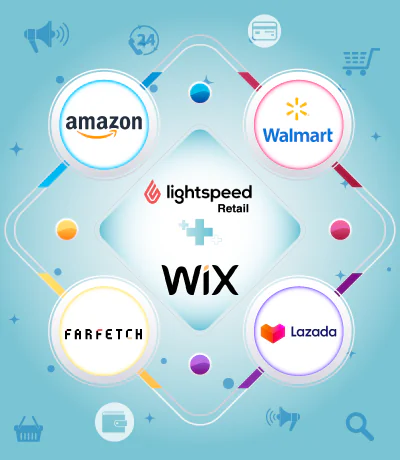
Using the SKUPlugs integration platform, you get a single place where you can track all Wix and other marketplaces sales orders, and manage inventory. We are focused on more than powering your online business. We are here to give you the functionality that will help you grow a successful online business. Give your business the edge to take out competitors y partnering with the best.
About Lightspeed
Lightspeed is a global leader in retail, restaurant, and golf management software that is recognized worldwide for its rich functionality, multi-national ability, and unique flexibility. It is a Cloud-based Point-of-Sale system that is perfect for small and multistore businesses. It is a strong POS system with an easy-to-change user interface, flexible reporting, and quick and easy promotion tools.
Lightspeed allows businesses to scale products and inventory. When you expand your business to more locations, it will be as simple as opening a new account, copying the menu from one of the existing sites, switching the tablets on, and opening the doors. You can enable multiple payment types like Credit Cards, mobile, and contactless payment.
Lightspeed Retail has every functionality that you need to happy your customer’s at the checkout counter and beyond. It provides a good API interface so that you can connect your business with other shopping carts(Shopify, Magento, Woocommerce, Bigcommerce, Wix, Squarespace) and marketplaces as well

Lightspeed Wix Integration: The Smart Way to Sync Your Retail and Online Store
Running a retail store alongside an online shop sounds like a great idea. And it genuinely is — until the operational side starts catching up with you. Keeping inventory accurate across two platforms manually is exhausting. You miss updates, oversell products, and customers start losing trust fast. That is exactly the kind of problem Lightspeed Wix integration was built to solve.
When the right tool connects your Lightspeed POS and Wix store, everything starts working together. Sales sync, stock updates, and product changes all happen automatically. You stop juggling between systems and start actually running your business.
What Is Lightspeed Wix Integration?
Lightspeed is a well-established point-of-sale system designed for retail businesses of all sizes. It handles in-store sales, inventory tracking, and customer records in one place. Wix is a widely used eCommerce platform that lets you build and manage an online store without needing technical skills.
Connecting these two platforms changes how your business operates day to day. Your physical store and your online shop finally share the same data. Stock levels, product listings, and orders stay consistent across both channels. That consistency is something every multichannel retailer desperately needs.
SKUPlugs does exactly that. It connects Lightspeed and Wix through a reliable, automated sync. No coding required. No complicated setup. Just clean, accurate data flowing between your two sales channels.
Why Do Retailers Actually Need This?
Most store owners begin with a single channel. As sales grow, they naturally move into online selling too. But then the cracks start showing. Two separate systems, two sets of data, and no easy way to keep them aligned.
Here is a situation that happens more often than you’d think. A customer walks into your store and buys the last unit of a popular item. Your Wix store still shows that item as in stock. Another customer orders it online twenty minutes later. Now you have a problem — and an uncomfortable conversation ahead.
Real-time inventory sync through Lightspeed Wix integration stops this before it starts. The moment a sale happens anywhere, the stock count updates everywhere. It does not matter whether the purchase was in-store or online. The numbers are always accurate.
What SKUPlugs Brings to the Table
Real-Time Inventory Sync
This is the feature most retailers care about first. Every sale, return, or stock adjustment in Lightspeed immediately reflects on your Wix store. The sync runs continuously in the background without any manual trigger. You can serve customers confidently knowing your stock data is always current.
Two-Way Product Sync
Managing products from two different dashboards wastes time and creates errors. With SKUPlugs, Lightspeed becomes your single source of truth. Add a new product, update a description, or change a variant — Wix reflects it automatically. Your online store stays current without any extra effort from your team.
Order Flow Into Lightspeed
When a customer checks out on your Wix store, that order lands straight into Lightspeed. Your staff processes it from one familiar system. There is no need to log into Wix separately or manually transfer order details. Fulfillment becomes faster, and mistakes become much less likely.
Consistent Pricing Across Channels
Price discrepancies between your store and website frustrate customers. They also create trust issues that are hard to recover from. SKUPlugs keeps prices, product details, and images in sync at all times. Run a sale in Lightspeed and watch it appear on Wix automatically.
Multi-Location Support
Some retailers operate more than one physical location. SKUPlugs handles this without any added complexity. You can map inventory from specific store locations to your online channel. This gives you precise control over which stock fulfills online orders.
How Easy Is the Setup?
Honestly, easier than most people expect. You do not need a developer or any technical background to get started. SKUPlugs walks you through the entire process step by step.
Connect your Lightspeed account first. Then link your Wix store. SKUPlugs maps your products and inventory fields between the two platforms. Within a short time, the sync is live and running on its own.
The SKUPlugs dashboard keeps you informed throughout. You can view sync activity, spot any issues, and make adjustments without digging through complicated settings. The support team is also readily available when you need guidance.
Who Gets the Most Value From This?
Fashion boutiques, electronics retailers, sporting goods shops, and lifestyle brands all find this integration genuinely useful. Any business with both a physical store and an online presence can benefit from removing the manual work between them.
Smaller businesses particularly appreciate the time savings. Staff stop wasting hours on data entry and focus on customers instead. Larger operations benefit from the accuracy and consistency that manual processes simply cannot deliver at scale.
Problems This Integration Quietly Solves
Overselling damages relationships with customers. A refund and an apology only go so far. Real-time sync removes the root cause entirely by keeping stock counts accurate at all times.
Manual product updates eat into your team’s day more than most owners realize. Every minute spent copying data between platforms is a minute not spent on growth. Automation handles those repetitive tasks instantly and without errors.
Inconsistent pricing is another quiet problem. When your in-store price differs from your website, customers notice. Some walk away without buying. Synced pricing removes that friction and builds confidence in your brand.
Why SKUPlugs Makes Sense
SKUPlugs was built with multichannel retailers in mind. It is stable, regularly updated, and designed to handle the real-world messiness of retail operations. Many store owners have used it to grow their online sales without adding complexity to their day-to-day work.
The pricing is reasonable and scales with your business. Whether you are selling a few hundred products or several thousand, the platform handles it without slowing down.
Wrapping Up
Lightspeed Wix integration is one of those upgrades that makes you wonder how you managed without it. The manual work disappears. The errors drop significantly. And your customers get a consistent, reliable experience no matter where they shop.
SKUPlugs makes it simple to get started and even simpler to maintain over time. Your inventory, orders, and product data stay perfectly aligned — automatically.
If connecting Lightspeed with Wix has been on your to-do list, now is the right time to make it happen. Give SKUPlugs a try and see what seamless multichannel retail actually feels like.

Integrate Lightspeed with














Frequently Asked Questions
Integrating Lightspeed with Wix becomes simple and straightforward when you use SKUPlugs. The platform acts as a smart middleware that bridges your Lightspeed POS system and your Wix eCommerce store without any coding knowledge required. To get started, you create a SKUPlugs account and connect both platforms using their respective API credentials. Once the connection is established, SKUPlugs automatically maps your product listings, inventory levels, and order data between the two systems. The setup process is guided, clean, and beginner-friendly. You can choose what data to sync — products, stock quantities, pricing, or orders — based on your business needs. SKUPlugs also allows you to schedule sync intervals or enable real-time updates for faster data flow. Whether you run a small boutique or a large retail chain, SKUPlugs makes the Lightspeed Wix Integration reliable, automated, and scalable. Start your free trial today and experience seamless connectivity between both platforms.
Yes, Lightspeed works with Wix, but not through a direct built-in connection. Both platforms are powerful on their own — Lightspeed as a robust POS and inventory management system, and Wix as a flexible eCommerce website builder. However, to make them communicate with each other, you need a reliable third-party integration tool like SKUPlugs. SKUPlugs fills the gap by creating a stable data bridge between Lightspeed and Wix. It allows product information, stock levels, pricing updates, and customer orders to flow smoothly between both platforms without manual data entry. Retailers who manage both an online Wix store and a physical store powered by Lightspeed benefit greatly from this integration. It eliminates duplicate work, reduces human error, and keeps both systems consistently updated. SKUPlugs supports automated and scheduled sync options to suit different business workflows. So while Lightspeed and Wix do not natively integrate, SKUPlugs makes them work together efficiently and reliably.
Syncing Lightspeed inventory with your Wix store is one of the most valuable features offered by SKUPlugs. When a product is sold in your physical store through Lightspeed POS, SKUPlugs immediately reflects that stock change on your Wix eCommerce store. This two-way inventory sync ensures that your online and offline stock counts always stay accurate and consistent. Setting up inventory sync through SKUPlugs is simple. After connecting both platforms, you map your Lightspeed product catalog to your Wix store listings. SKUPlugs then monitors stock movements and pushes updates at your chosen sync frequency — whether real-time or scheduled. This prevents overselling, avoids customer disappointment, and removes the need for manual stock updates across both channels. The integration also handles product variants like size and color, ensuring each variant's inventory is tracked separately and accurately. For retailers managing high product volumes, SKUPlugs makes Lightspeed to Wix inventory sync effortless, accurate, and fully automated.
The best way to connect Lightspeed POS to Wix is by using SKUPlugs, a purpose-built integration platform designed for exactly this kind of retail connectivity. Unlike manual workarounds or unreliable CSV imports, SKUPlugs offers a clean, automated, and scalable solution. It uses API-level connectivity to establish a secure and stable link between your Lightspeed account and your Wix store. Once connected, all key data — including products, pricing, inventory, and orders — syncs automatically based on your configured preferences. SKUPlugs also provides a user-friendly dashboard where you can monitor sync activity, resolve conflicts, and manage settings without any technical expertise. The platform is trusted by retailers across industries because it handles complex data mapping with ease. It supports both one-way and two-way sync depending on your workflow. With flexible pricing plans and dedicated support, SKUPlugs remains the most practical and efficient method to connect Lightspeed POS with Wix for any retail business.
Automatic order sync between Wix and Lightspeed is a core feature of the SKUPlugs integration platform. When a customer places an order on your Wix store, SKUPlugs captures that order data and pushes it directly into your Lightspeed POS system in real time. This means your retail staff can see online orders alongside in-store transactions without switching between platforms or manually entering data. SKUPlugs maps all relevant order details — customer name, purchased items, quantities, pricing, and shipping information — so nothing gets lost in the transfer. This eliminates the risk of missed orders, fulfillment delays, and data inconsistencies. You can also configure order sync settings to filter by status, location, or product type based on your operational needs. For businesses handling high order volumes, this automation saves significant time and reduces costly errors. SKUPlugs makes Wix to Lightspeed order sync a hands-free process that keeps your entire retail operation running smoothly and efficiently.
Yes, SKUPlugs enables real-time product data sync between Lightspeed and Wix, making it one of the most efficient integration solutions available for retailers. Real-time sync means that any product update made in Lightspeed — whether it is a price change, a stock adjustment, or a new product addition — is instantly reflected on your Wix store. This is critical for businesses where inventory moves fast and pricing changes frequently. Without real-time sync, customers may see outdated prices or purchase products that are already out of stock, leading to poor shopping experiences. SKUPlugs removes this risk entirely by keeping both platforms consistently aligned. The real-time sync feature also works in reverse — orders and stock deductions from Wix are pushed back to Lightspeed without delay. You can also choose scheduled sync if real-time updates are not required for your workflow. Either way, SKUPlugs ensures that your product data across Lightspeed and Wix remains accurate at all times.
Managing your Wix store inventory through Lightspeed becomes completely effortless when SKUPlugs is in place. Instead of logging into your Wix dashboard to update stock manually, you simply make changes in Lightspeed and SKUPlugs handles the rest. This centralized inventory management approach saves time and reduces the risk of errors that come with managing two separate systems independently. When you receive new stock in Lightspeed, SKUPlugs pushes those updated quantities to your Wix store automatically. When items sell online, the deduction is reflected back in Lightspeed. This bidirectional sync gives you a single source of truth for all inventory data. SKUPlugs also supports product variants, bundle items, and multi-location stock management, making it suitable for retailers with complex inventory structures. Business owners who operate both a physical store and an online Wix storefront find this especially valuable. With SKUPlugs, Lightspeed becomes your master inventory hub for everything — including your Wix eCommerce channel.
Overselling is one of the most damaging problems for online retailers, and it happens when your Wix store shows stock that no longer exists in Lightspeed. SKUPlugs solves this problem directly by keeping both platforms synchronized at all times. When a sale is made through your Lightspeed POS — whether in-store or through another channel — SKUPlugs immediately updates the corresponding stock level on your Wix store. This real-time or near-real-time sync ensures customers only purchase what is genuinely available. SKUPlugs also handles low-stock thresholds, allowing you to set buffer quantities that prevent listings from going live when stock drops below a safe level. For businesses running flash sales or seasonal promotions with limited inventory, this level of control is essential. The integration covers all product variants as well, so size or color-specific stock is tracked and updated individually. With SKUPlugs managing your Lightspeed to Wix stock sync, overselling becomes a problem of the past.
The benefits of using Lightspeed Wix Integration through SKUPlugs are wide-ranging and directly impact the efficiency and growth of retail businesses. First, it eliminates manual data entry by automating product, inventory, and order sync between both platforms. This saves hours of repetitive work every week. Second, it ensures data accuracy across your physical and online store, reducing errors that lead to overselling, incorrect pricing, or missed orders. Third, it enables true omnichannel retail by keeping your Lightspeed POS and Wix storefront perfectly aligned at all times. Customers enjoy a consistent experience whether they shop in-store or online. Fourth, the integration scales with your business — whether you manage 50 products or 5,000, SKUPlugs handles the volume without performance issues. Fifth, centralized inventory management through Lightspeed simplifies operations for store managers. Overall, SKUPlugs-powered Lightspeed Wix Integration helps retailers save time, reduce costs, prevent errors, and deliver a better shopping experience across every sales channel.
Yes, SKUPlugs offers a free trial for its Lightspeed Wix Integration, allowing you to explore the platform fully before making any financial commitment. During the trial period, you can connect your Lightspeed account and Wix store, configure sync settings, and test how data flows between both platforms. This hands-on experience helps you understand exactly how the integration works in your specific retail environment. The free trial includes access to core features like product sync, inventory updates, and order management so you get a complete picture of what SKUPlugs delivers. No credit card is required to start the trial, making it completely risk-free. If you have questions during the trial, the SKUPlugs support team is available to assist you through every step. Most users find that the free trial is enough to see the immediate value of automating their Lightspeed and Wix data sync. Sign up today on the SKUPlugs website and start your free trial in minutes.