- Home
- Lightspeed Shopify Integration
Seamless Lightspeed Shopify Integration with - SKUPlugs
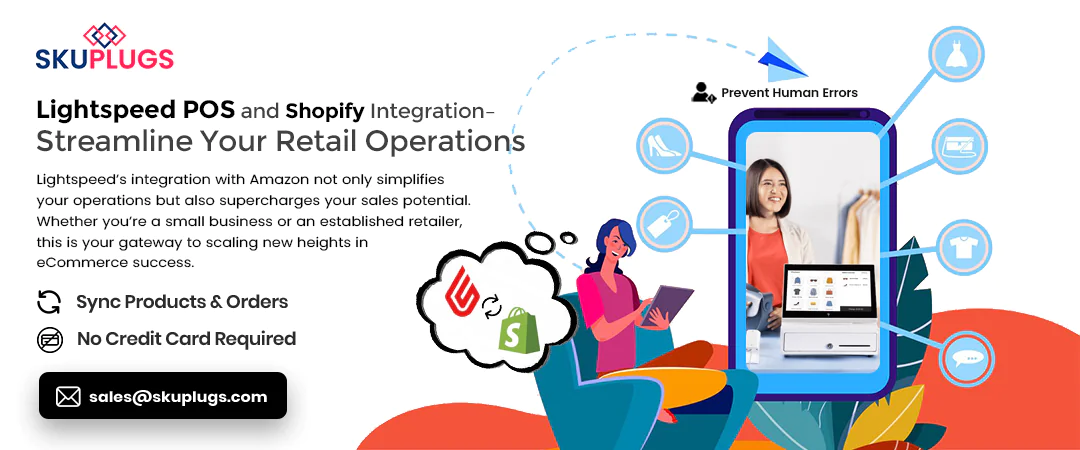
Connect Lightspeed and Shopify seamlessly with SKUPlugs and keep your products, inventory, and orders synchronized automatically. Our Lightspeed Shopify integration helps retailers manage both their physical and online stores from one connected system, reducing manual data entry and the risk of overselling or inventory discrepancies.
With SKUPlugs, you can sync product information and inventory between Lightspeed and Shopify while keeping orders and stock levels up to date across your sales channels. Whether you use Lightspeed Retail R-Series or need to connect your retail operations with Shopify, SKUPlugs provides a reliable, automated way to keep your stores in sync.
Start your free trial today and simplify Lightspeed–Shopify inventory management without complicated manual processes.
- Automate the synchronization of Lightspeed and Shopify product data, prices, and inventories.
- Link essential and variant products, taking into account style characteristics
- Link multi-level product prices, tags, and meta descriptions.
- Connect the stock of your Lightspeed POS to particular Shopify locations to ensure store-level synchronization.
- Exchange Lightspeed custom field values in meta fields of Shopify stores
- Sync customers and orders from Shopify automatically with Lightspeed
- Support for store-wise order synchronization, local delivery, and pickup
- Ensure that all Lightspeed POS stores, Shopify, and associated marketplaces have 100% accurate inventory.
- Access skilled and pleasant 24/7 customer help.
SKUPlugs enables Lightspeed Integration with Shopify in a few clicks, and you can configure it as per your business requirements. Enjoy the Sync!!
Get Started Now!
Our Work Flow
Shopify integration with Lightspeed in few clicks and configure it as per your business requirement. Enjoy the Sync!!
Lightspeed Shopify Integration
With only a few clicks, you can finish the Lightspeed Shopify Integration. Use an easy-to-use interface of SKUPlugs for a smooth transition between the two platforms.
Configure & sync
Configure both platforms to best suit your business needs, then set up syncing rules appropriately.
24x7 Online Support
Our 24/7 online support team will always keep you connected. Our boarding and product specialists are available for chat at any moment.
Our Best Pricing Plan
No annual contracts. Month-to-month subscription. No hidden charges.
Trial
$0/15 Days
- Unlimited Products
- Unlimited Orders
- No percentage of transaction fees
- 1 Integration
- No Setup Fee
- Support: Chat & email
Standard
$59/Month
- Unlimited Products
- Unlimited Orders
- No percentage of transaction fees
- 1 Integration
- No Setup Fee
- Support: Skype, Chat & email
Additional Sales Channel
$59/Month/Integration
- Unlimited Products
- Unlimited Orders
- No percentage of transaction fees
- Unlimited Integration
- No Setup Fee for additional integration
- Support: Skype, Chat & email
The Power of Lightspeed Integration
A retail business's success can be ultimately attributed to the benefits of Lightspeed Integration with Shopify using SKUPlugs. These benefits include streamlined inventory management, higher sales potential, integrated order processing, and enhanced data accuracy.
Lightspeed R-Series and Shopify Integration
Managing a physical retail store and Shopify store separately can create unnecessary work.
When a product sells in your store, inventory needs to be updated online. When a customer places an order through Shopify, your retail team needs access to that order. When product information changes, keeping both platforms updated manually can lead to errors.
SKUPlugs connects Lightspeed Retail R-Series and Shopify so supported information can be synchronized automatically.

With the integration, you can connect important data such as:
- Products
- SKUs
- Inventory
- Product quantities
- Orders
- Customer information
- Prices
- Product variants
- Other supported product information
This helps you maintain a more consistent catalog and inventory across your physical and online sales channels.
How Integration of Lightspeed and Shopify Works
SKUPlugs provides the connection between your Lightspeed R-Series account and Shopify store.
1. Connect your Lightspeed account
Authorize your Lightspeed Retail account through SKUPlugs.
2. Connect your Shopify store
Connect your Shopify store to your SKUPlugs account.
3. Configure your integration
Choose the products, locations, and information you want to synchronize.
4. Map your products
Match your Lightspeed products with the corresponding Shopify products and configure your synchronization settings.
5. Start syncing
Once your configuration is complete, SKUPlugs synchronizes the supported information between Lightspeed and Shopify.
What Can You Sync Between Lightspeed and Shopify?
Product Synchronization
Keep your Lightspeed and Shopify product catalogs connected.
SKUPlugs can synchronize supported product information such as:
- Product names
- SKUs
- Product descriptions
- Prices
- Images
- Variants
- Barcodes
- Product information
Instead of creating and updating products manually in both systems, you can manage your connected product catalog through an automated synchronization workflow.
Inventory Synchronization
Inventory accuracy is critical when you’re selling through both a physical store and Shopify.
When inventory changes in your Lightspeed R-Series system, SKUPlugs can synchronize the supported inventory information with Shopify.
This helps you:
- Keep Shopify stock quantities updated
- Reduce manual inventory adjustments
- Reduce the risk of overselling
- Maintain more accurate stock information
- Manage inventory across connected sales channels
For retailers with multiple locations, inventory synchronization can also help create a more connected view of stock across your retail operation and Shopify store.
Shopify Order Synchronization
When customers purchase products through Shopify, SKUPlugs can synchronize supported order information with Lightspeed R-Series.
This means your team doesn’t have to repeatedly copy Shopify order information into your POS.
Depending on your configuration, synchronized order information can include:
- Products
- Quantities
- Customer details
- Shipping information
- Order information
This creates a more efficient workflow between your ecommerce store and retail POS.
Customer Synchronization
Keep customer information connected between Shopify and Lightspeed.
Instead of maintaining completely separate customer records, SKUPlugs can synchronize supported customer information between your connected platforms.
This helps retailers maintain more consistent customer data across their online and offline operations.
Lightspeed Shopify Integration Features
| Feature | SKUPlugs |
| Lightspeed integration | ✓ |
| Shopify integration | ✓ |
| Product synchronization | ✓ |
| Inventory synchronization | ✓ |
| Order synchronization | ✓ |
| Customer synchronization | ✓ |
| SKU synchronization | ✓ |
| Product variant synchronization | ✓ |
| Price synchronization | ✓ |
| Multi-location support | ✓ |
| Automated synchronization | ✓ |
| No coding required | ✓ |
| 15-day free trial | ✓ |
Specific synchronization options can depend on your account configuration and the capabilities of the connected platforms.
Why Connect Lightspeed to Shopify?
Reduce Manual Work
Without an integration, your team may need to enter product and order information into multiple systems.
SKUPlugs automates supported synchronization so your team can spend less time performing repetitive updates.
Keep Inventory Up to Date
Selling the same products in your physical store and Shopify store can make inventory management complicated.
Connecting the two systems helps keep your online inventory aligned with your Lightspeed inventory.
Reduce Overselling
Inventory discrepancies can result in customers ordering products that are no longer available.
Automated inventory synchronization can help reduce this risk.
Manage Online and Offline Sales Together
Use Lightspeed for your physical retail operations and Shopify for ecommerce while keeping important information connected.
Save Time as Your Catalog Grows
The larger your product catalog becomes, the more difficult manual synchronization becomes.
Automation can make managing hundreds or thousands of products more manageable.
Lightspeed Shopify Integration for Retailers
SKUPlugs is particularly useful if you:
- Operate a physical retail store using Lightspeed
- Have or are launching a Shopify store
- Sell the same products online and in-store
- Need to synchronize inventory
- Manage a large product catalog
- Receive Shopify orders
- Operate multiple retail locations
- Want to reduce manual data entry
Whether you’re expanding an existing retail business into ecommerce or already operating across multiple channels, connecting Lightspeed with Shopify can simplify your day-to-day operations.
How to Connect Lightspeed to Shopify
Getting started with SKUPlugs doesn’t require you to build your own integration.
Step 1 — Create your SKUPlugs account
Start your 15-day free trial.
Step 2 — Connect Lightspeed
Authorize your Lightspeed Retail R-Series account.
Step 3 — Connect Shopify
Authorize your Shopify store.
Step 4 — Configure synchronization
Choose your products, locations, and synchronization settings.
Step 5 — Map products
Match your Lightspeed products with Shopify products.
Step 6 — Start synchronization
Start your integration and monitor the synchronization through SKUPlugs.
Need assistance? Contact the SKUPlugs team for help with your integration setup.
Why Use SKUPlugs?
SKUPlugs is designed to connect retail POS systems with ecommerce platforms and marketplaces.
Instead of building and maintaining your own integration, SKUPlugs provides a ready-made connection between Lightspeed and Shopify.
You can start with your Lightspeed and Shopify integration and expand your multichannel setup as your business grows.
Lightspeed Shopify Integration Pricing
Standard Integration
$59/month
Includes:
- Unlimited products
- Unlimited orders
- 1 integration
- No percentage-based transaction fees
- No setup fee
- Support
Additional Integration
$59/month per additional integration
You can start with the 15-day free trial before subscribing.
Connect Lightspeed with Shopify Today
Managing Lightspeed and Shopify separately doesn’t have to be a daily struggle.
SKUPlugs connects your Lightspeed POS with Shopify so you can synchronize products, inventory, orders, and customer information through an automated integration.
Spend less time managing duplicate data and more time growing your retail business.
Frequently Asked Questions
SKUPlugs connects your Lightspeed POS with Shopify through a secure, real-time API connection. Once linked, SKUPlugs watches for changes on either side. A stock update in Lightspeed reaches Shopify almost instantly. An order placed on Shopify flows back into Lightspeed for fulfillment. Product details, pricing, and inventory stay aligned across both platforms without manual work. You control which products sync and how often updates run. No coding or technical setup is required.
Yes — this integration is built specifically for Lightspeed Retail R-Series. If your store runs on Lightspeed X-Series, the underlying POS structure is different, so the connection setup isn't identical. SKUPlugs supports X-Series integrations separately, and our support team can confirm the right setup path for your account. Checking your Lightspeed version before you start ensures the sync configuration matches your system from day one.
Inventory updates move from Lightspeed to Shopify in real time or within minutes, depending on your sync settings. SKUPlugs tracks every stock change — in-store sales, returns, transfers, manual adjustments — and pushes it to Shopify automatically. Product data such as titles, descriptions, and prices can sync on that same basis or on a schedule you set. This speed matters most for high-volume stores, where even a short delay can cause an oversell.
Price changes made in Lightspeed push to Shopify automatically, whether you're updating a single item or an entire category. This keeps pricing consistent across both channels, so online customers always see the correct amount. Price syncing runs alongside inventory and product syncing as part of the same automated workflow. You can also restrict which fields sync, so pricing stays managed in only one system if that fits your process better.
Every Shopify order syncs back into Lightspeed automatically, including items, quantities, customer details, and payment status. Your in-store team can fulfill online orders from the same system they already use, without switching platforms. Inventory adjusts the moment an order comes through, so stock counts stay accurate across every channel. Products are matched using SKUs, which prevents mismatched or duplicated items during the sync.
Yes, one Lightspeed account can connect to several Shopify stores at once. This works well for businesses running multiple storefronts from a single centralized inventory. Each store gets its own settings — pricing rules, product selection, and sync frequency — so storefronts don't have to mirror each other. Lightspeed remains the single source of truth no matter how many Shopify stores are attached.
SKUPlugs syncs titles, descriptions, SKUs, categories, variants, images, barcodes, and pricing from Lightspeed to Shopify. Your Shopify catalogue mirrors Lightspeed automatically, so there's no manual re-entry needed. You're not required to sync everything, though — you can choose specific products, categories, or collections to publish online. Excluded items, seasonal stock, or internal SKUs simply stay off the sync list.
Product variants — sizes, colors, styles, and combinations — sync fully between Lightspeed and Shopify, each mapped by its unique SKU. If your Shopify catalogue already has products with matching Lightspeed SKUs, SKUPlugs links them automatically instead of recreating your store from scratch. Any items with missing or inconsistent SKUs get flagged, and the team helps correct them before the sync goes live.
All data moves between Lightspeed and Shopify through encrypted API connections. SKUPlugs doesn't store sensitive payment information, and every transfer follows standard security protocols. Access to your integration dashboard requires authenticated login, limited to authorized users only. Sync activity is monitored continuously, and you retain full control over what data syncs and how often.
No long-term contract is required. SKUPlugs runs on a flexible month-to-month subscription, so you can upgrade, downgrade, or cancel whenever your business needs change. A 15-day free trial lets you test the integration against your real data before paying anything. There are no setup fees, hidden charges, or cancellation penalties.
Most stores are fully connected within 30 minutes. After creating a SKUPlugs account, you authorize access to Lightspeed and Shopify through secure connections, then configure sync preferences for products, pricing, and orders. Initial sync time can vary slightly depending on catalogue size, but most businesses are live the same day.
SKUPlugs support is available via email, skype chat and call, for anything from setup questions to sync troubleshooting. The most common issues — SKU mismatches, duplicate products, incorrect variant mapping, delayed updates — are usually caused by inconsistent product data, and the team helps correct them directly. Sync logs and error reports flag problems automatically, so issues get caught before they affect customers.
Yes. Customer records created in Shopify sync over to Lightspeed automatically, so a shopper's information doesn't need to be re-entered when their order comes through for fulfillment.
Orders are imported automatically once the integration is live. New Shopify orders flow into Lightspeed on their own, so staff can fulfill everything from one place without manually re-keying order details.
Inventory adjusts automatically on both platforms the moment an order ships. This keeps stock counts accurate on Shopify without anyone updating numbers by hand after fulfillment.
No installation charge applies. Setup is designed to be straightforward enough that most retailers get the integration running within minutes, without needing a developer.


