- Home
- Zoho Salla Integration
Zoho Salla integration - No Setup Fee
Using SKUPlugs Zoho Inventory Salla integration, you can automate your important processes and save valuable time and resources. SKUPlugs provides real-time and Comprehensive integration of Salla and Zoho without the need for manual data entry and to remove any barriers to your productivity and growth. we provide a simple and effective solution to boost your productivity. Our Zoho Salla Integration will synchronize your product data with your Salla website and sales order & customer details to your Zoho back without any manual work. It will automate your retail business process and saves your time, money, and additional effort.
- All web-enabled inventory synced from Zoho to Salla
- Sync product details, prices and inventory from Zoho to your online store
- Sync simple as well as variation products
- Sync multi -store inventories
- Sync Multi- Level products' prices
- Post your online orders and customers into Zoho
- Keep inventory 100% accurate across every Zoho Inventory store, online sales channel and marketplace
- Save valuable time and resources
- Proficient and friendly 24*7 support

Get Started Now!
Our Work Flow
Connect your Zoho Inventory and Salla in few clicks and configure both platforms as per your business requirement. Enjoy the Sync!!
Connect Zoho Inventory
Connect Zoho Inventory with your Salla store in few clicks. Easy and user friendly user interface to connect both platforms.
Configure & sync
Configure both platforms with each other as per your business requirement and set the syncing rules.
24x7 Online Support
Our 24x7 online support team will keeping you always connected. You can talk to our boarding and product experts anytime.
Our Best Pricing Plan
No annual contracts. Month-to-month subscription. No hidden charges.
Trial
$0/15 Days
- ₹ 0
- Unlimited Products
- Unlimited Orders
- No percentage of transaction fees
- 1 Integration
- No Setup Fee
- Support: Chat & email
Standard
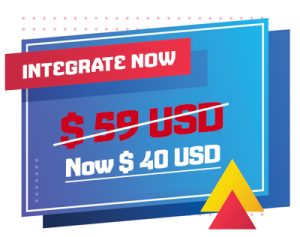
$40/Month
- ₹4699/- + GST /Month (India)
- Unlimited Products
- Unlimited Orders
- No percentage of transaction fees
- 1 Integration
- No Setup Fee
- Support: Skype, Chat & email
Additional Sales Channel
$40/Month/Integration
- ₹4699/- + GST /Month (India)
- Unlimited Products
- Unlimited Orders
- No percentage of transaction fees
- Unlimited Integration
- No Setup Fee for additional integration
- Support: Skype, Chat & email
Zoho Inventory Salla Integration: A Smarter Way to Run Your Online Store
If you’re selling on Salla and managing stock in Zoho Inventory, you already know the pain. You update something in one place, and the other is still sitting on old data. Orders come in, numbers don’t match, and suddenly you’re overselling a product you ran out of three days ago. It’s frustrating — and honestly, it’s avoidable.
That’s exactly the gap Zoho Inventory Salla Integration by SKUPlugs is built to close. It’s not just a data bridge. It’s the kind of fix that makes you wonder how you managed without it.
So What Does This Integration Actually Do?
Let’s keep it simple. Salla is one of the biggest Arabic e-commerce platforms out there, especially in Saudi Arabia and the wider Gulf region. Zoho Inventory, on the other hand, is where a lot of sellers handle their stock, orders, and warehouse operations. The problem is — these two don’t talk to each other on their own.
SKUPlugs steps in as the connector. Once set up, the Salla Zoho Inventory sync handles product data, stock counts, and order details between both platforms. You make a change on one end, and it shows up on the other. No manual exports. No copy-paste chaos. Just clean, synced data running in the background.
The Parts That Actually Matter to Sellers
Stock That Updates Itself
Here’s one thing every seller dreads — a customer places an order, payment goes through, and then you realise the item’s out of stock. Awkward conversation. Possible refund. Not great for your ratings either.
With the Zoho Inventory Salla connector, stock levels adjust the moment a sale happens. Whether it’s one unit or fifty, your inventory reflects the real number across both platforms. That alone is worth a lot.
Orders Go Where They Need to Go
Every time someone buys from your Salla store, that order needs to land in Zoho Inventory for processing. Without integration, someone has to manually move that data — and that’s where mistakes creep in.
The Salla to Zoho order sync takes care of this automatically. Orders appear in Zoho without anyone lifting a finger. Your team skips the data entry and goes straight to fulfilling the order. Less back-and-forth, fewer errors, faster delivery.
Product Details Stay Consistent
Managing a product catalog across two platforms is messier than it sounds. A price update here, a description tweak there — and suddenly your Salla listings say something different from what’s in Zoho.
The Zoho Inventory Salla product sync keeps both sides aligned. Edit a product in Zoho, and Salla reflects that change. You only update once, and everything stays consistent. Clean listings mean fewer confused customers and fewer returns.
Running Multiple Warehouses? No Problem
Some sellers aren’t working out of just one location. Maybe you’ve got stock in Riyadh and a second storage unit somewhere else. The Salla Zoho multi-warehouse sync lets you map each warehouse properly. Orders get fulfilled from the right place, every time. That kind of accuracy matters when you’re scaling up.
Why SKUPlugs and Not Something Else?
Fair question. There are other tools out there. But SKUPlugs has been doing multi-channel inventory integration for a while now, and it shows. The Zoho Inventory integration with Salla is built to be stable, not just flashy.
Setup doesn’t require a developer. The onboarding is clean and the documentation is actually useful. If you get stuck, their support team is reachable — not hidden behind a wall of automated replies. Plans are priced to work for small sellers as well as larger operations, so you’re not paying enterprise rates when you’re just getting started.
Who’s This Really For?
Honestly, if you’re a Salla seller already using Zoho Inventory, this is a no-brainer. It also makes a lot of sense for businesses trying to break into the Saudi or Gulf market while keeping their existing Zoho setup intact. Retailers, wholesalers, and dropshippers have all found value in automating Salla inventory management with Zoho. If stock updates are eating your evenings, this is the fix.
Getting Set Up Is Pretty Straightforward
You sign up on SKUPlugs, connect your Salla store, link your Zoho Inventory account, and configure how you want the sync to work. Field mappings can be adjusted to fit your workflow. Most sellers are up and running within a few hours. The system starts pulling and pushing data almost right away.
Wrapping Up
Manual inventory management across platforms is a time sink — and it introduces errors that hurt your business quietly over time. The Zoho Inventory Salla Integration through SKUPlugs cuts through that. Stock stays accurate, orders move faster, and your catalog stays clean without the extra effort. If you’re ready to stop babysitting two platforms and start actually growing, this integration is a solid place to start.

Integrate Zoho Inventory with













FAQ's
It is a streamlined solution that connects your Zoho inventory and order management system with your Salla marketplace store, enabling automated product listing, inventory syncing, and order processing.
No contract is required, it’s a monthly subscription-based service.
No credit is required for the trial plan.
No, you don’t need to install any plugin to connect with Zoho Inventory. You just need to authorize our application to connect with your Zoho Inventory.
The integration automates data synchronization between Zoho and Salla, reducing manual work, minimizing errors, and ensuring near real-time updates for inventory and orders, thus enhancing operational efficiency.
Absolutely. The integration allows you to map product fields, set inventory update rules, and customize listing parameters to fit your business needs.
Sign up for SKUplugs, connect your Zoho and Salla accounts via the integration dashboard, configure your product and order settings, and activate the synchronization. Step-by-step setup guides are available to assist you.